Buying a NECO token from NECO’s own portal
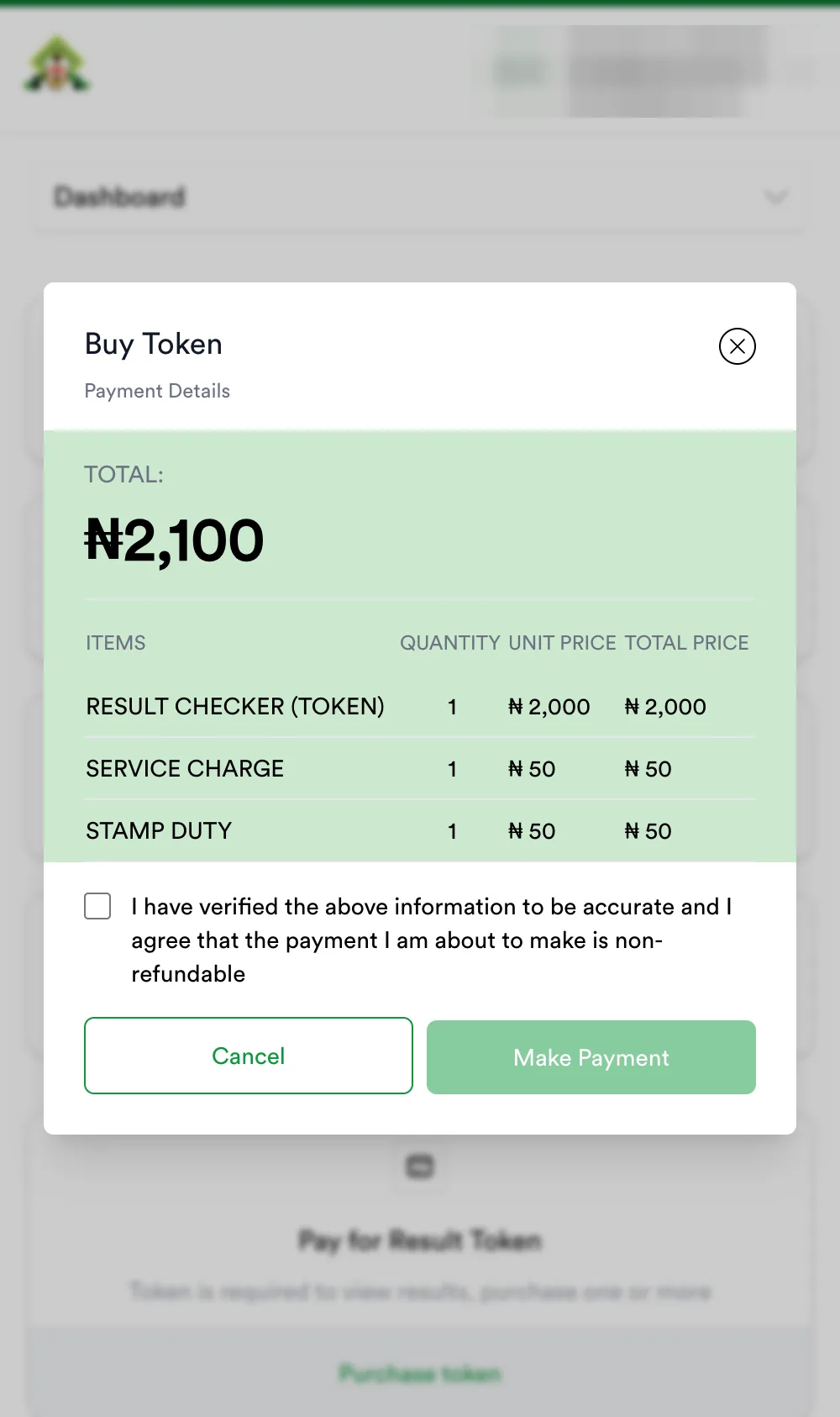
NECO sells its result token at results.neco.gov.ng for ₦2,100 plus a Remita fee — ₦2,261.25 by bank transfer. Here is the whole process, screen by screen, and the one part that confuses everyone: the payment shows “Pending” until NECO confirms it.
Price: NECO’s portal vs here
| results.neco.gov.ng | Awajis Pay | |
|---|---|---|
| Token | ₦2,000 + ₦50 service + ₦50 stamp duty = ₦2,100 | ₦2,300, nothing added at checkout |
| Payment fee | Remita: ₦161.25 transfer / ₦172.54 card | None |
| You pay | ₦2,261.25 (transfer) | ₦2,300 |
| Arrives | When NECO confirms the RRR — 5 hours in our test | Seconds after payment, on screen and by email |
| Account | NECO account (name, email, phone, password) | Email only |
| Help | support.neco.gov.ng, with the RRR | Order page + support, with your PAY- reference |
Same token either way. NECO is about ₦39 cheaper than our ₦2,300; we are faster and you have someone to write to.
The steps, with screenshots
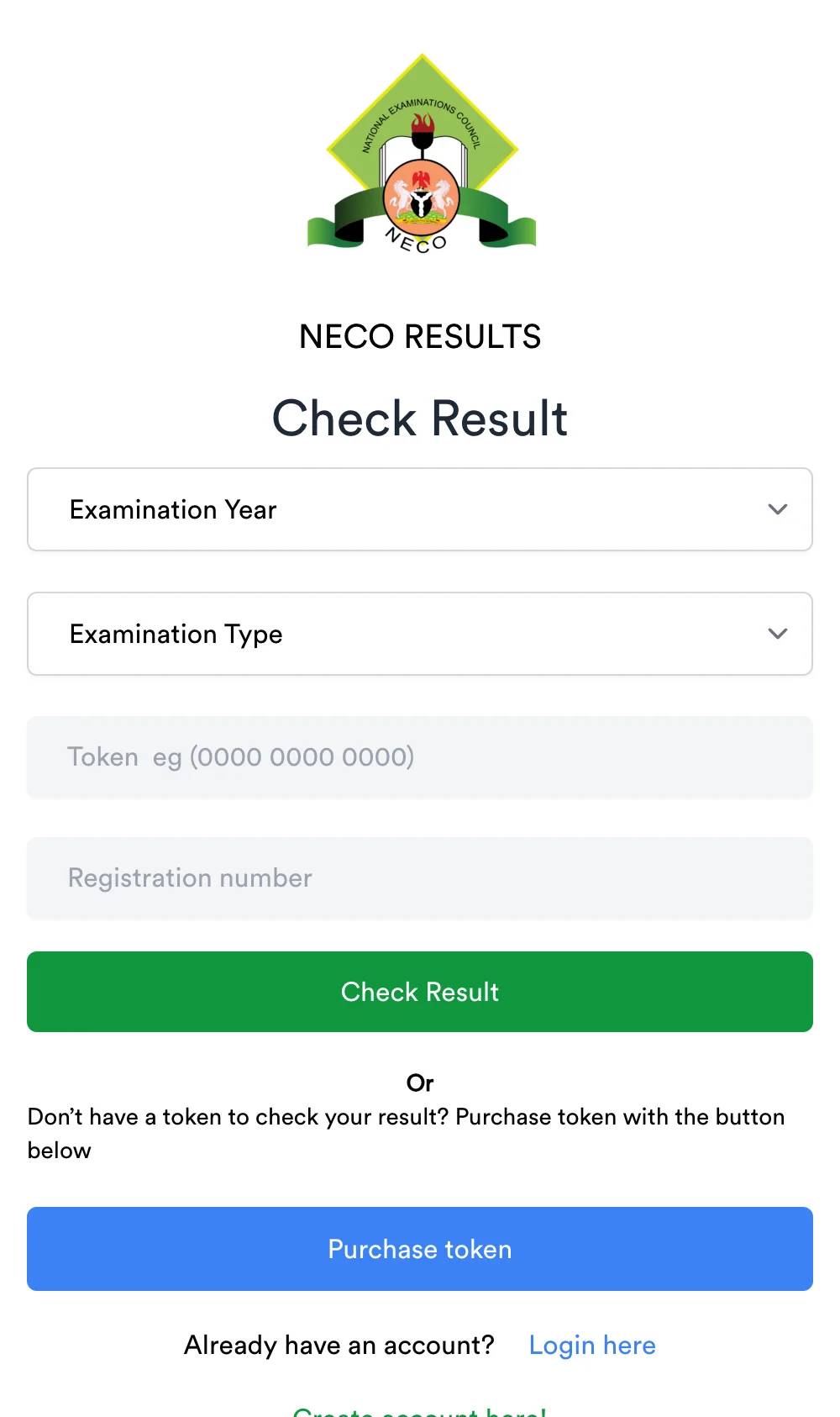
- Open results.neco.gov.ng and click Purchase token.
- Create an account (or log in). Use an email you can open.
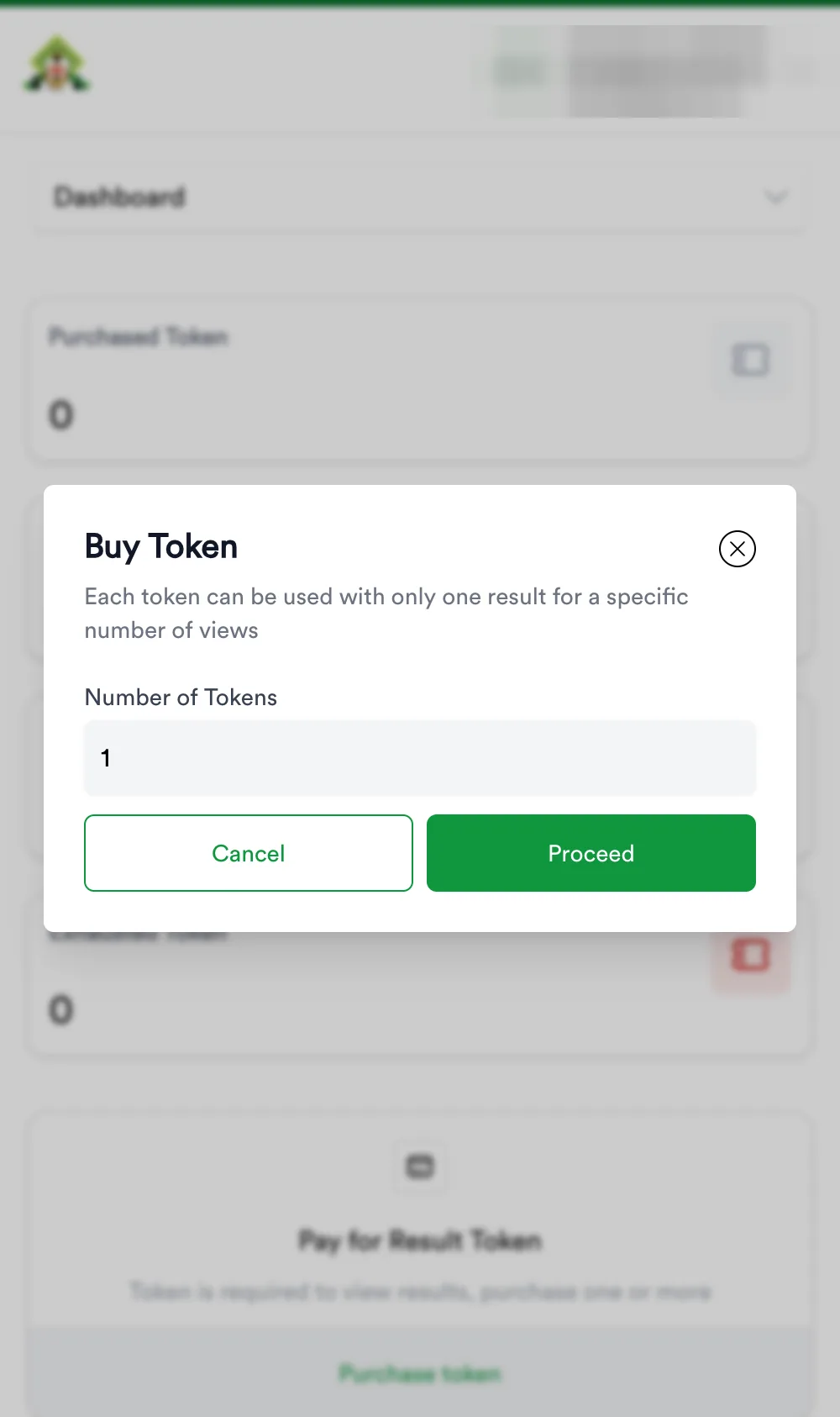
- On the dashboard click Purchase token, enter the number of tokens, Proceed.
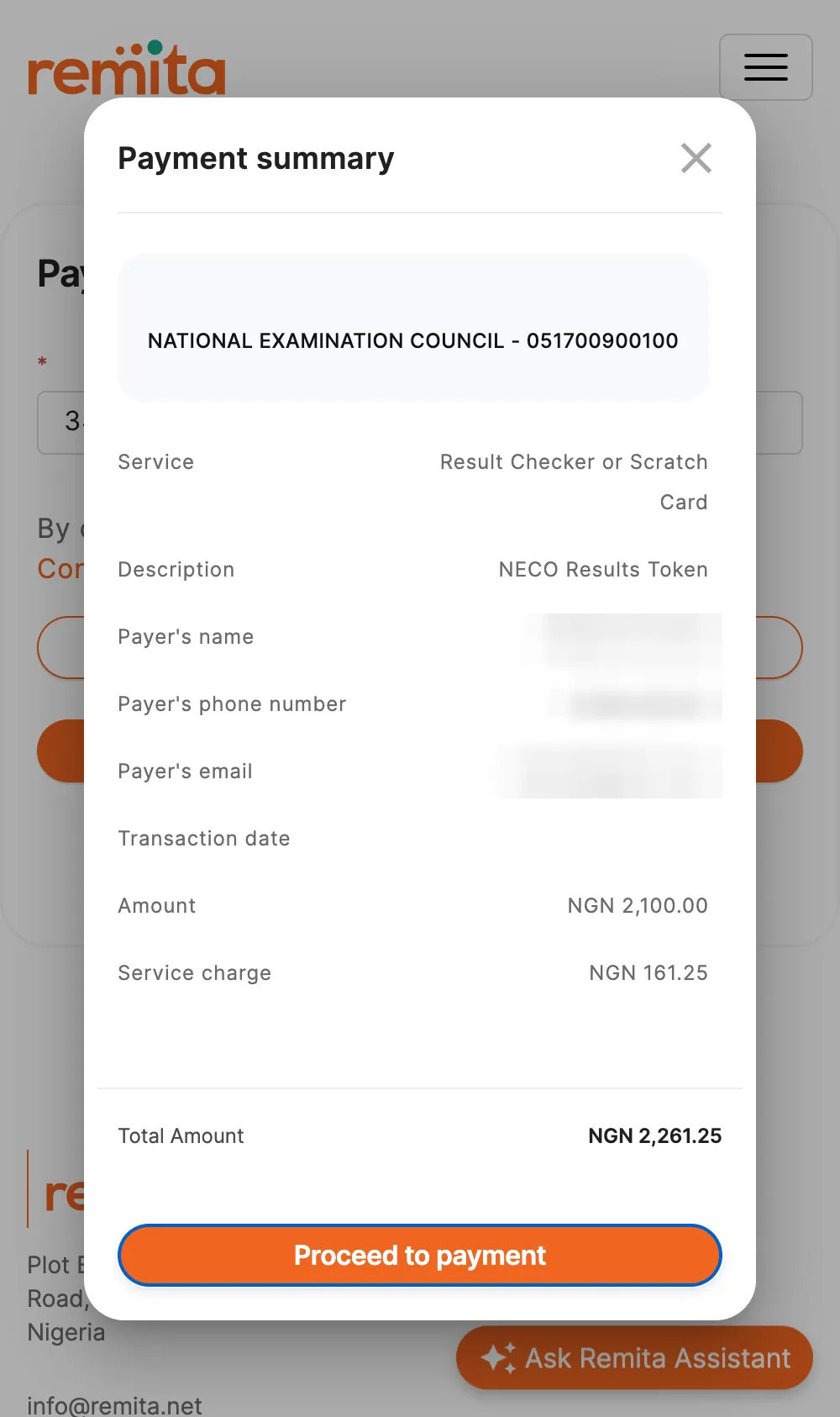
- Read the ₦2,100 breakdown, tick the non-refundable box, Make Payment.
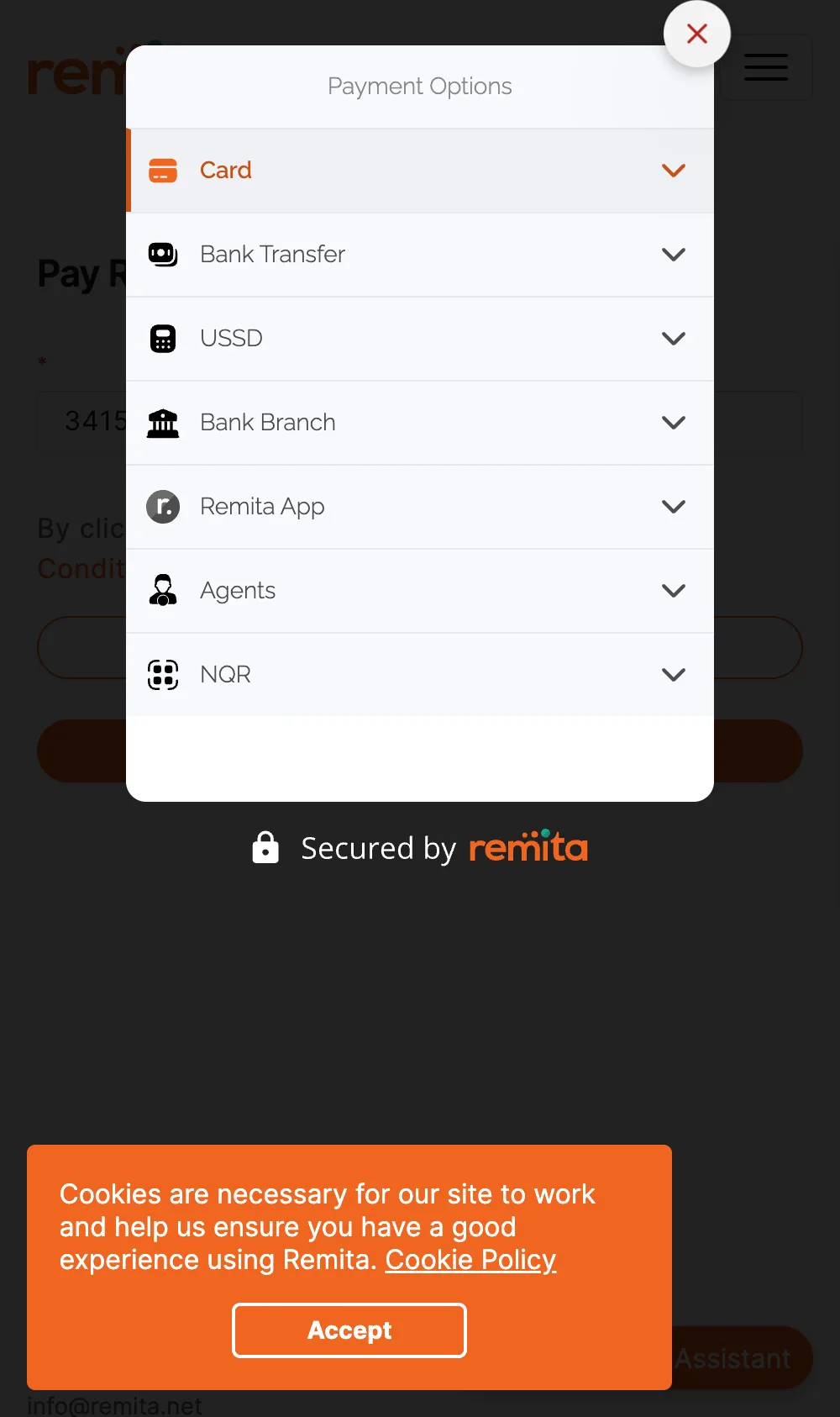
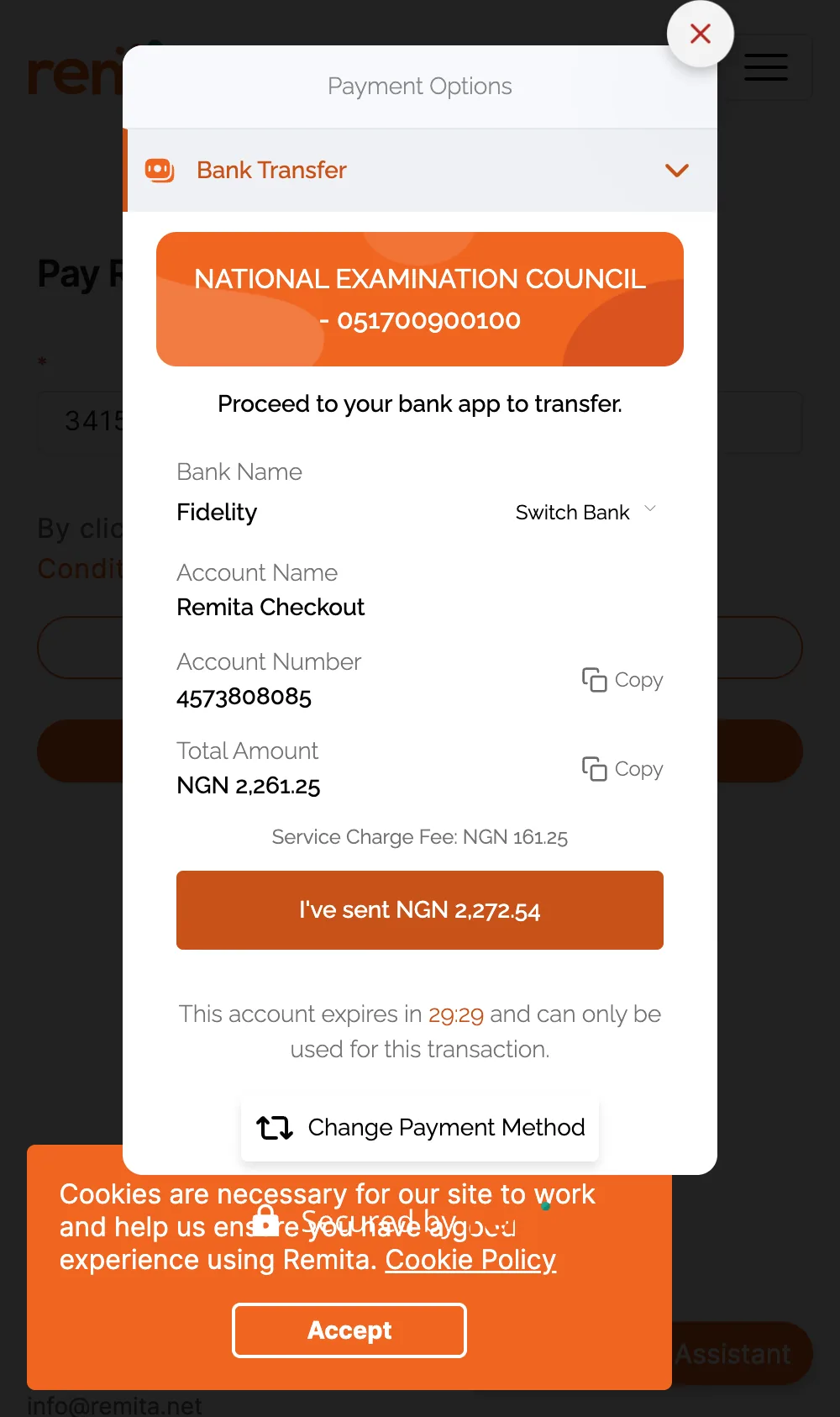
- You are now on Remita. Write down the RRR at the top. Choose Bank Transfer.
- Transfer exactly the Total Amount (₦2,261.25) to the account shown, within 30 minutes. Ignore the different figure on the button.
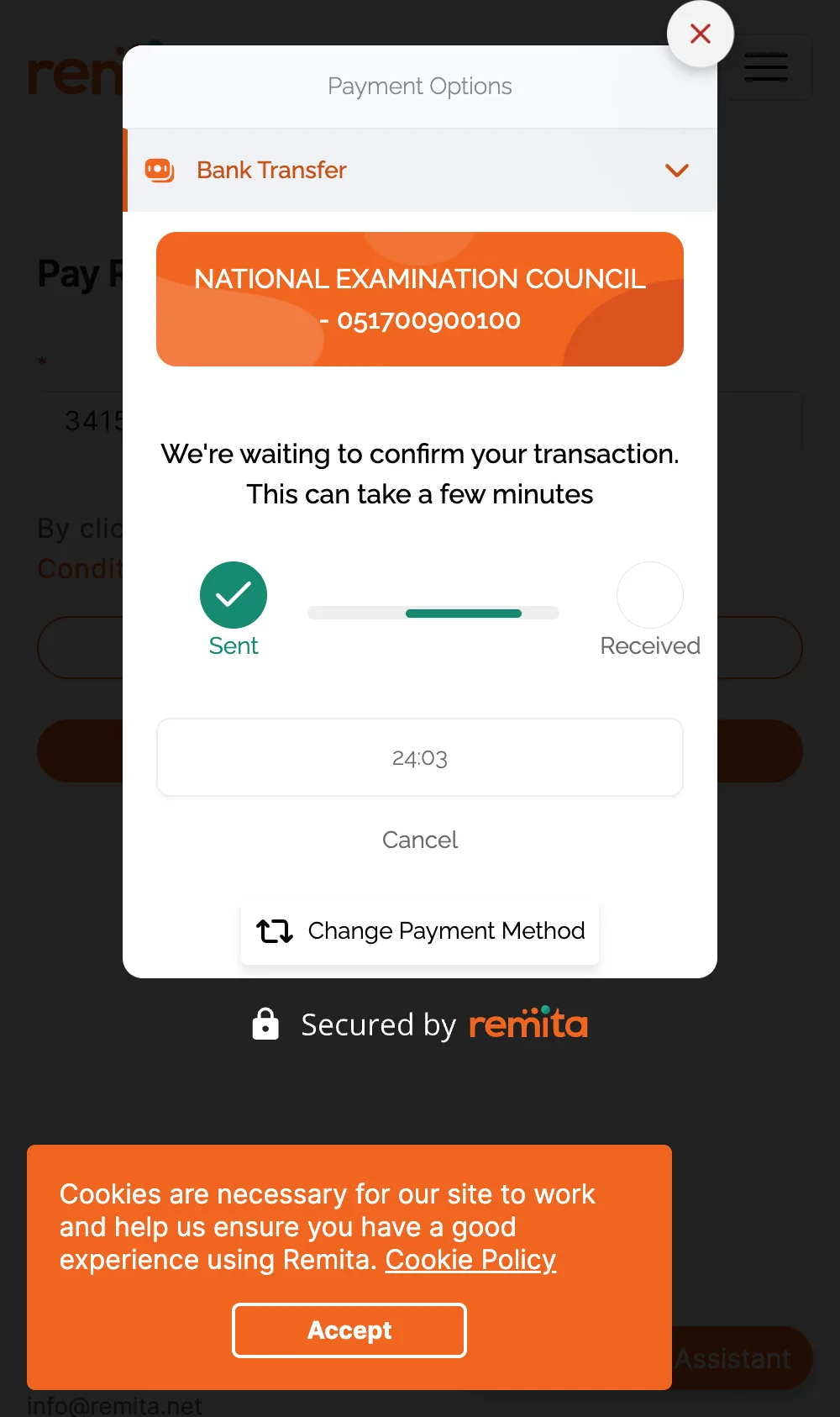
- Click I’ve sent. Remita shows “Payment Successful” once your bank confirms.
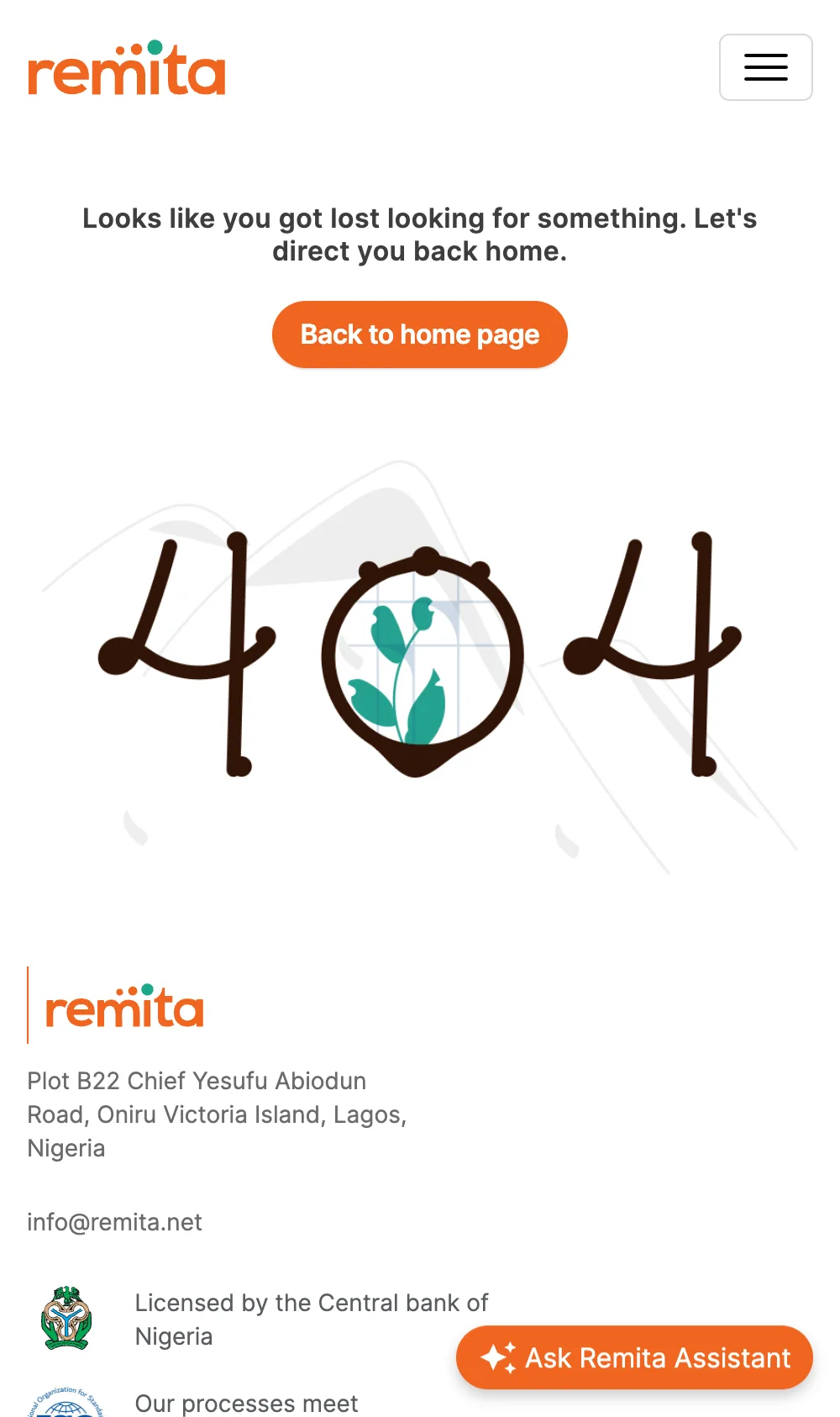
- Remita may then drop you on a 404 page. Your money is not lost. Go back to the portal.
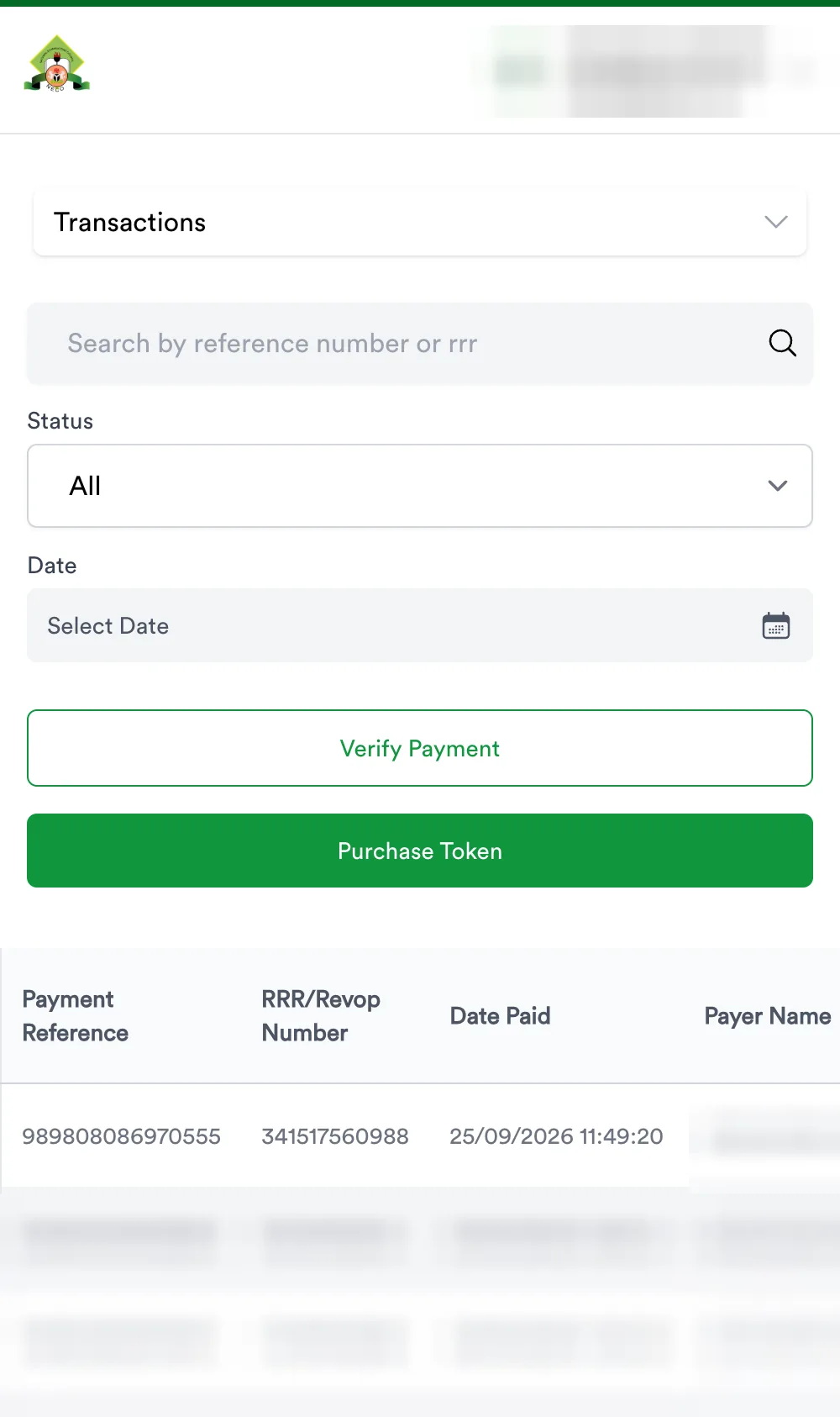
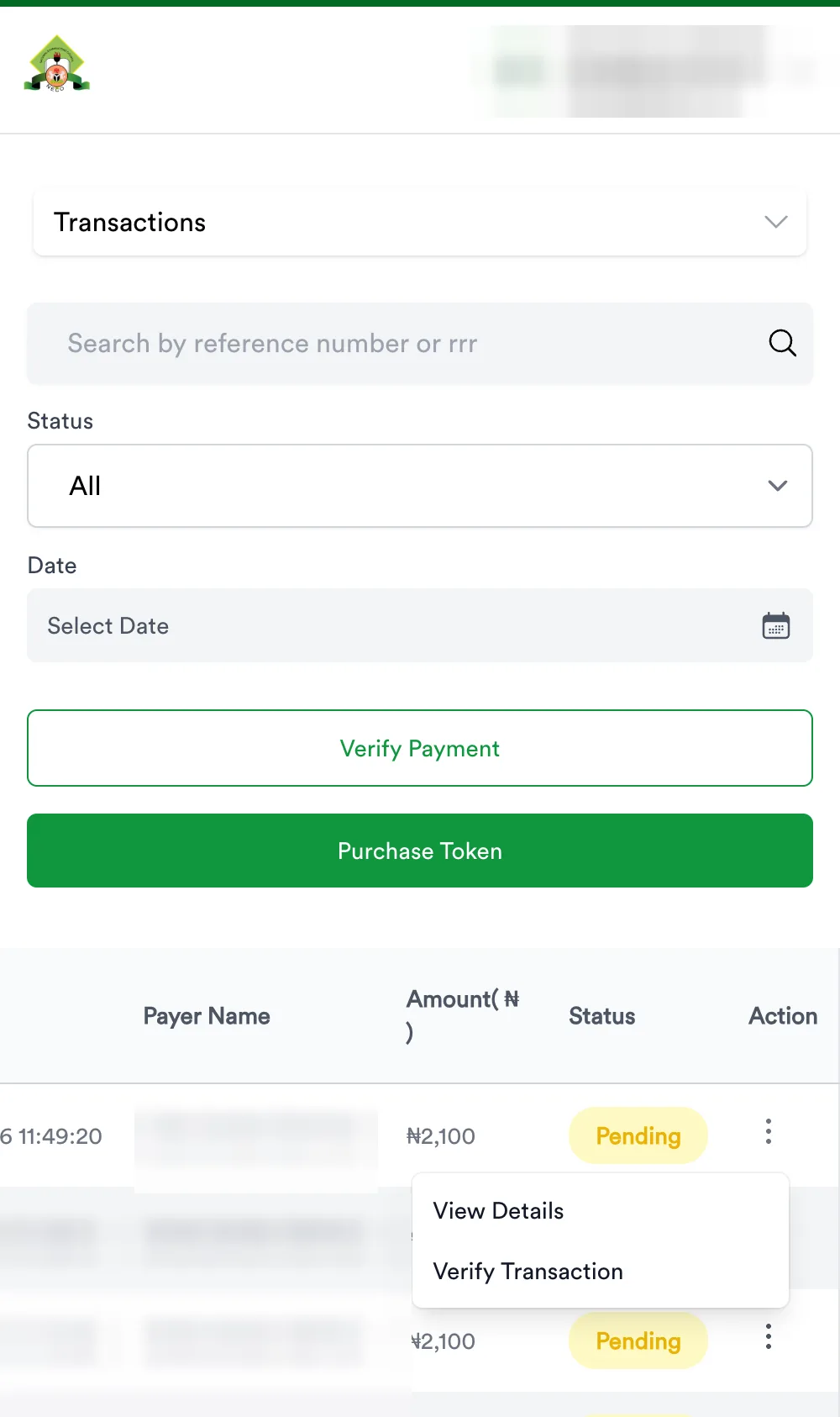
- Log in → Transactions. Your payment shows Pending.
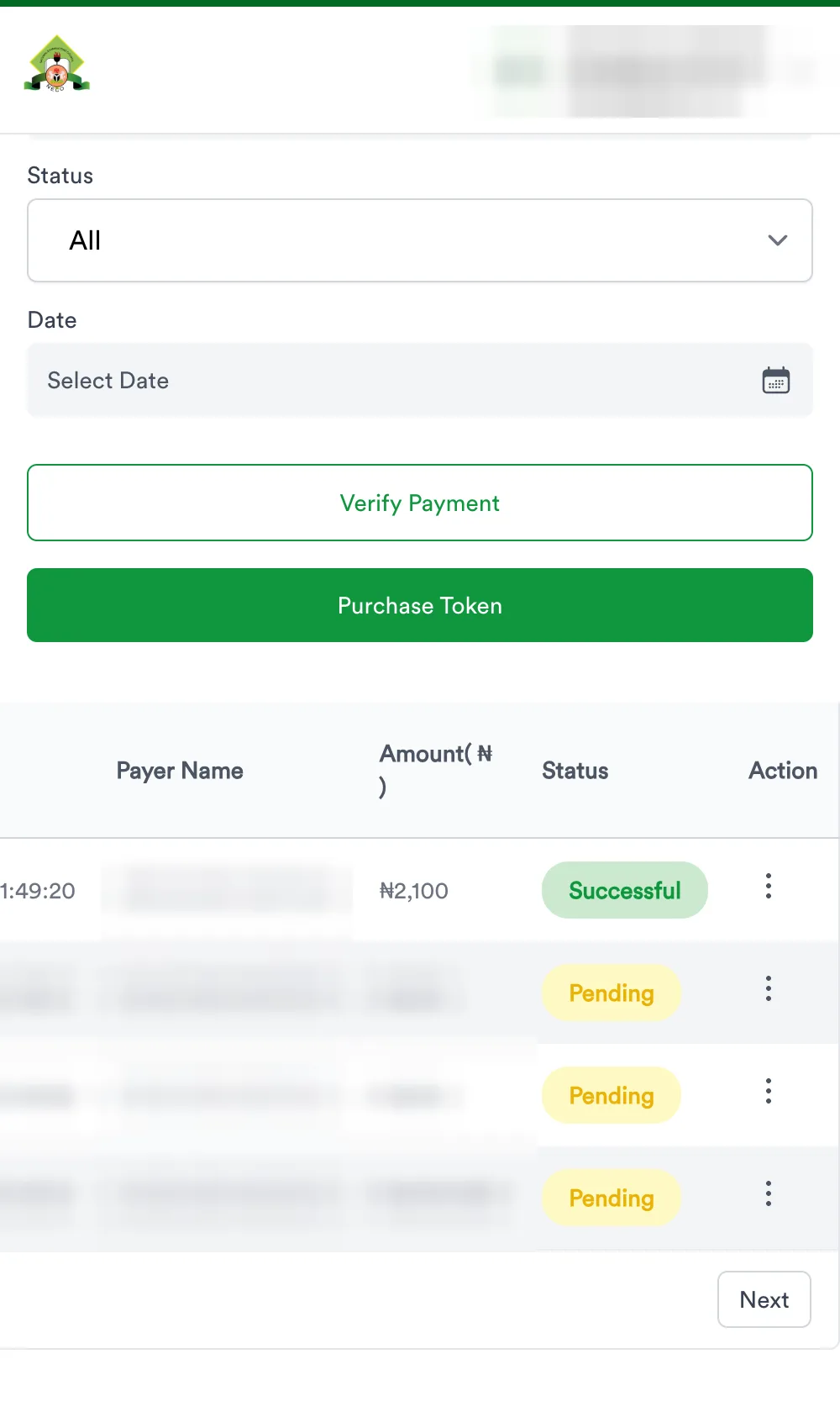
- Three dots on your row → Verify Transaction. Until NECO hears from Remita it says: “Your payment has not been confirmed by the payment provider yet. If you have already been debited, do not pay again.” Believe it. Verify again later.
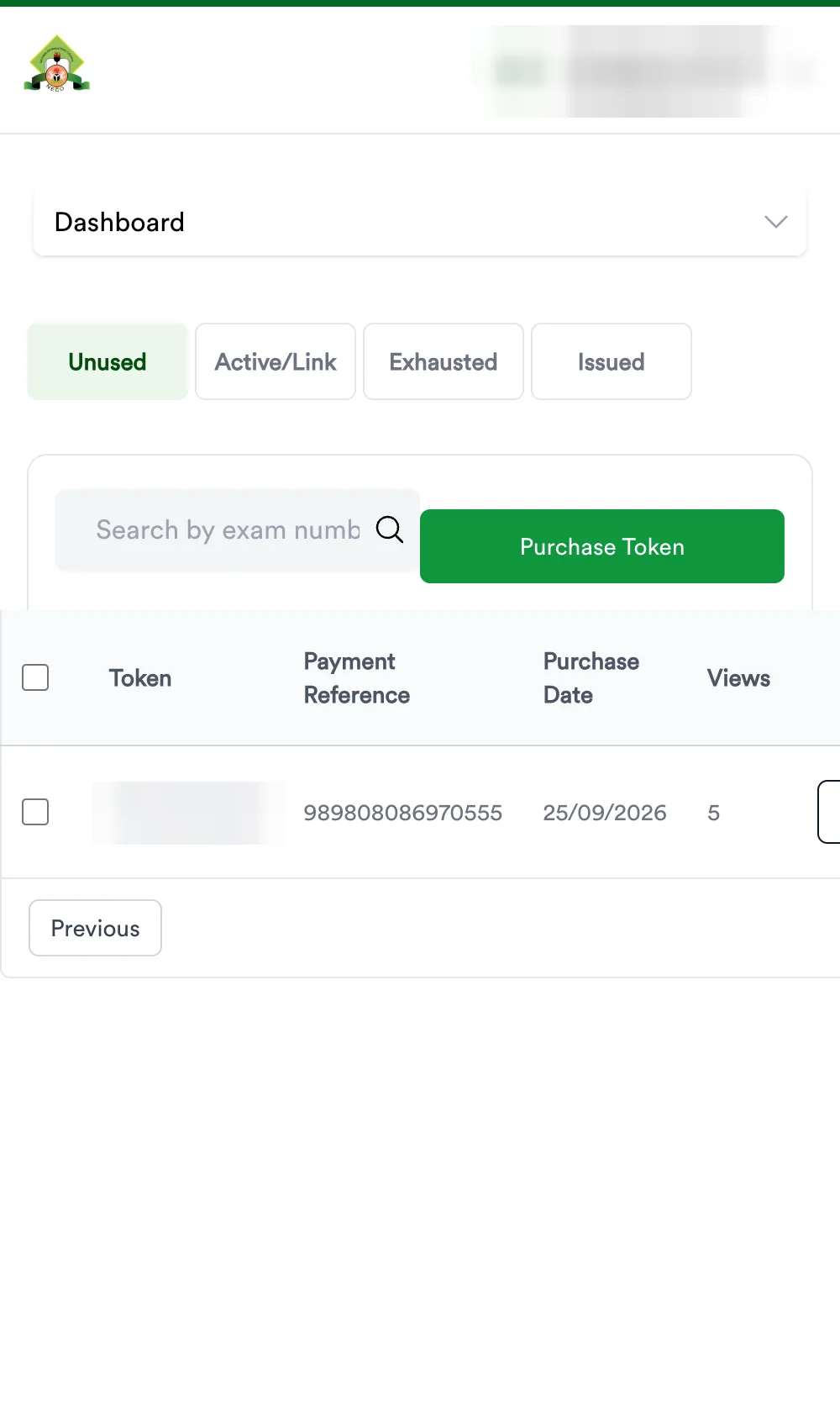
- When it turns Successful (five hours later, in our case), the dashboard shows Purchased 1 / Available 1 and the token is under View token → Unused, with 5 views.
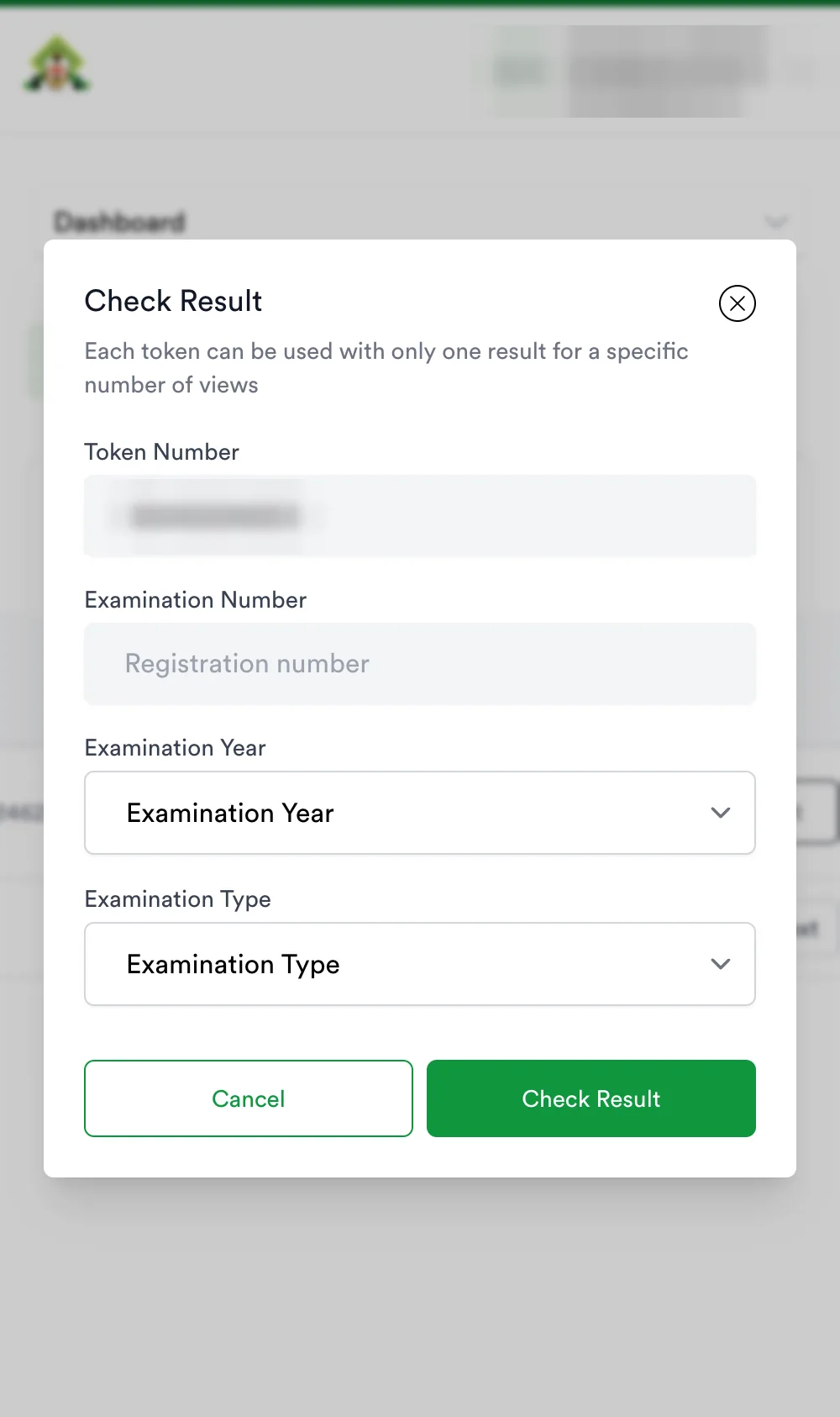
- Check the result on the portal home page: exam year, exam type, token, registration number. Five checks per token. Our NECO result guide has the detail.
What we learned paying NECO directly
- Remita confirmed our transfer in under a minute. NECO’s own status stayed Pending for five hours (11:58 → 16:59). The gap is normal; it is not a failed payment.
- The RRR is the only handle on your money. Keep it with the bank receipt.
- Remita will show “Proceed to payment” for an RRR you already paid. Paying again creates a second charge, not a faster token.
- Only NECO can see that payment. Not us, not any other seller. Tickets go to support.neco.gov.ng (the portal also lists support@neco.gov.ng).
If you would rather not wait
A NECO result token here is ₦2,300 and arrives in seconds, with an order page that retries delivery and a PAY- reference you can quote. Buy a NECO token.
Awajis Pay is an independent reseller. We are not NECO and have no access to payments made on results.neco.gov.ng or through Remita.
Questions people ask
What does a NECO token cost on results.neco.gov.ng?
NECO charges ₦2,100. Remita adds ₦161.25 for bank transfer (₦2,261.25 total) or ₦172.54 for card (₦2,272.54 total). Checked 25 September 2026.
My NECO payment says Pending. What do I do?
Log in, open Transactions, use Verify Transaction on your row. If the portal says the payment provider has not confirmed yet, wait and verify again — do not pay the same RRR twice. If it is still Pending after a few hours, open a ticket at support.neco.gov.ng with the RRR.
Can Awajis Pay check my RRR or refund it?
No. An RRR is a Remita payment to NECO. We cannot see it, confirm it or refund it. Our own orders come with a PAY- reference and a Paystack receipt.
Is it the same token as the one you sell?
Yes. A NECO result token is a NECO result token — 12 digits, one candidate, five checks. NECO’s is ₦2,261.25 and arrives when NECO confirms the payment; ours is ₦2,300 and arrives in seconds.